
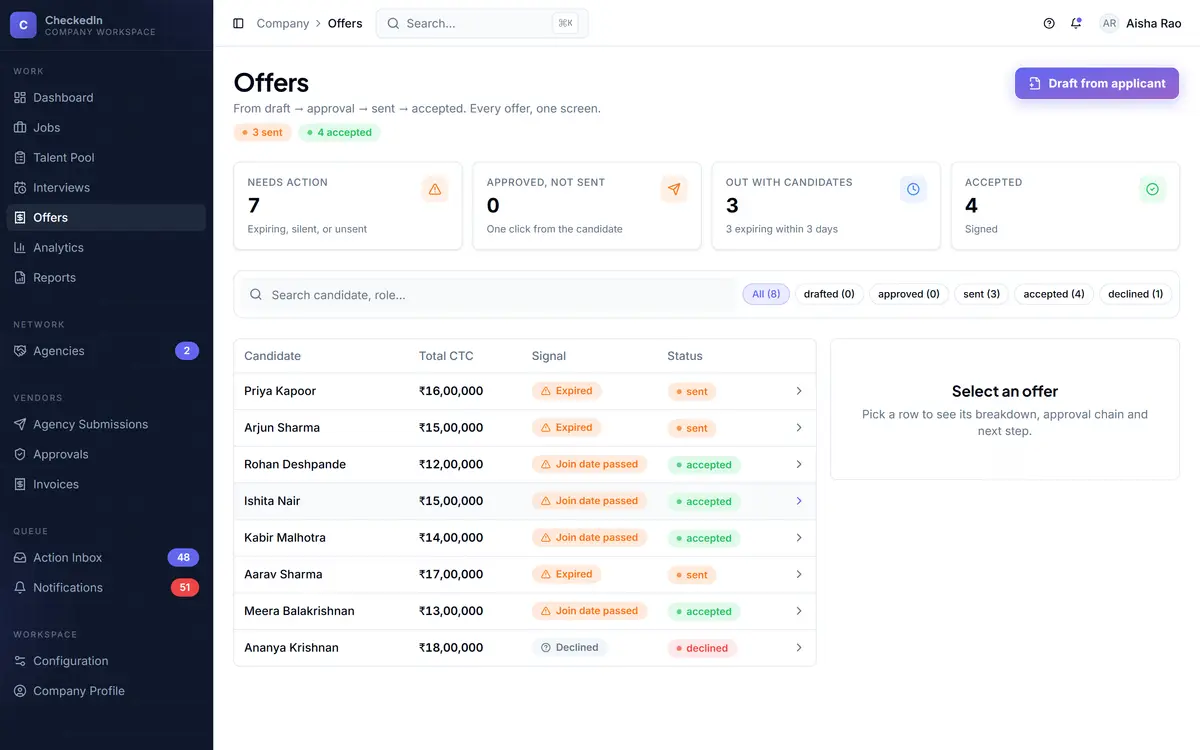
Approved, not sent, is the most wasteful state in the product.

So it is called out rather than buried. An offer above your threshold genuinely cannot be sent without approval, and joining is the event the money waits for.
ceiling + floorchase at 5 days, onceresponse needs no loginjoined raises the payable
company · offers ORDERED BY CONCERN
The offers list with tiles ordered by concern rather than by date

Real product screens. Figures shown in them are seed data from a demo workspace, not customer results.

Two guards, not one

A ceiling can never catch a zero.

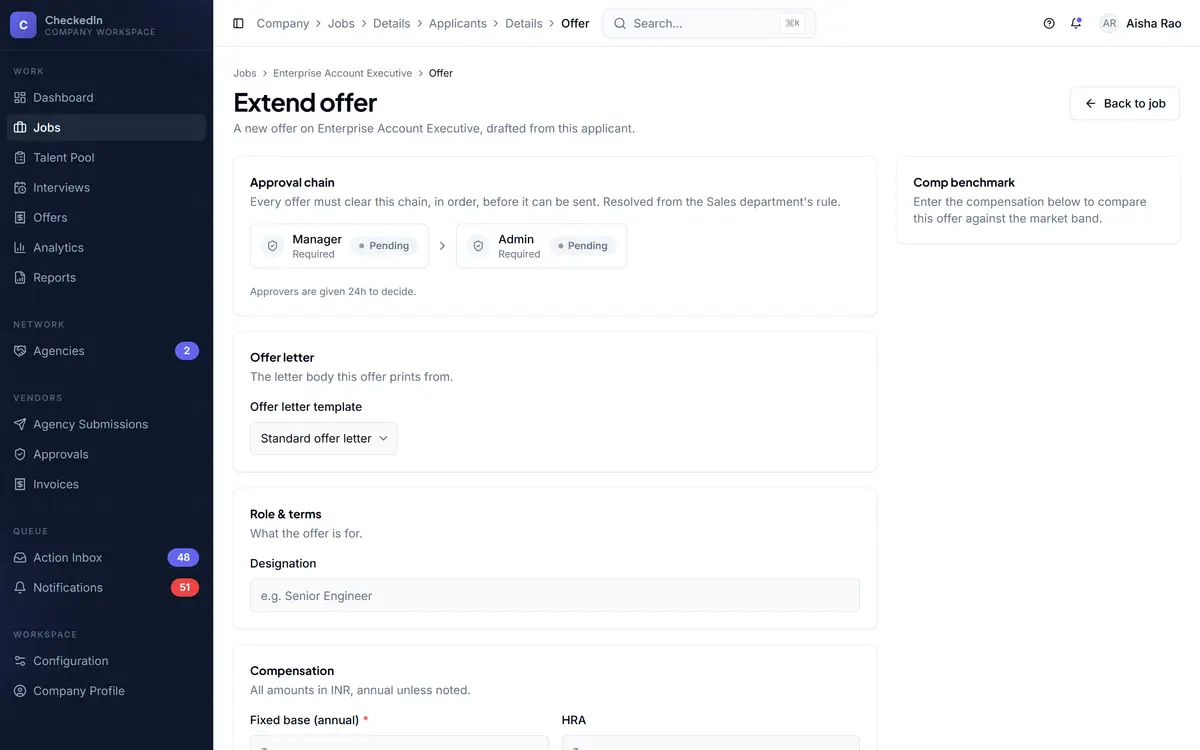
An approval gate fires on amounts above a threshold, so it structurally cannot stop a ₹0 offer. That is why a floor was added underneath it. Without one, a zero-value offer could reach a candidate on the public response link.

Ceiling Above your threshold, it cannot be sent without an approval

Not "the button is hidden". Genuinely cannot, by any route.

Floor A zero-value offer cannot be sent at all

Added because the ceiling fires on "above", so zero slipped underneath it.

Read this before your first week ends.

The approval threshold defaults to effectively unlimited, which means no offer is gated by value until somebody sets it. Set it deliberately rather than assuming the gate is on.

The states

Six of them, and only one releases money.

01 Drafted From a template
02 Approved If the amount needs it
03 Sent Candidate gets a link, no login
04 Accepted Or declined, recorded either way
05 Joined The money waits for this
06 Onboarding Checklist and documents
Note An accepted offer that never became a joining raises nothing. In India a 90-day notice period and an offer drop are the normal case rather than the exception, which is why acceptance is not the trigger.
When it goes quiet

One chase task. Not one a day.

An offer quiet for five days raises exactly one chase task, and it closes itself when the candidate responds. A queue that re-raises the same item every morning trains everyone to stop reading it, and then the queue is worse than nothing.
Confirm joined, when the date passesA separate task at the start date, because a start date arriving is not the same as somebody turning up.
Confirm role closeWhen a role looks filled, it asks rather than closing it for you.
applicant · draft offer FROM A TEMPLATE
Drafting an offer against an applicant from a template
Fig 1 The candidate answers on a page of their own: no login, one decision, and it closes the loop back into your pipeline.
The approvals queue

Anything your configuration gates lands in one place.

Offers over threshold, agency connection requests, requisitions needing sign-off. And anything consequential the system wants to do automatically becomes a one-tap confirmation rather than a silent action.
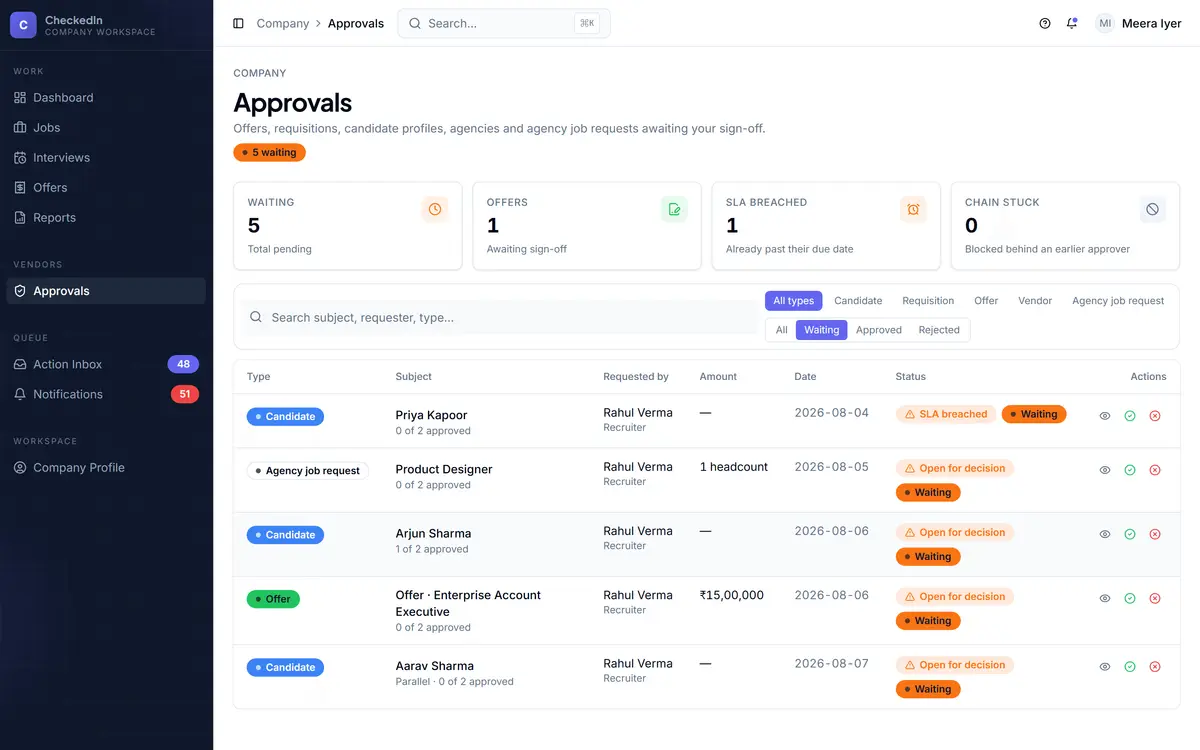
company · approvals ONE QUEUE
The approvals queue, holding agency connections and anything else the configuration gates
What this part does not do

Worth knowing before the demo, not after.

No e-signature templated letter, response page, recorded decision
The ceiling defaults to unlimited nothing is gated until somebody sets it
No multi-currency on the company side the field is stored and read by nothing
It does not prevent a back-out it prompts; that is not the same thing
No background verification step BGV stays with whoever does it for you
No payroll or joining-formalities workflow a checklist, not an HRMS
Book a demo