Nobody should log in and go hunting to find out something needed them.
So work comes to you instead. Queues rank by the consequence of waiting rather than by age: a three-day-old row with a lapsing ownership claim outranks a twelve-day-old one without.
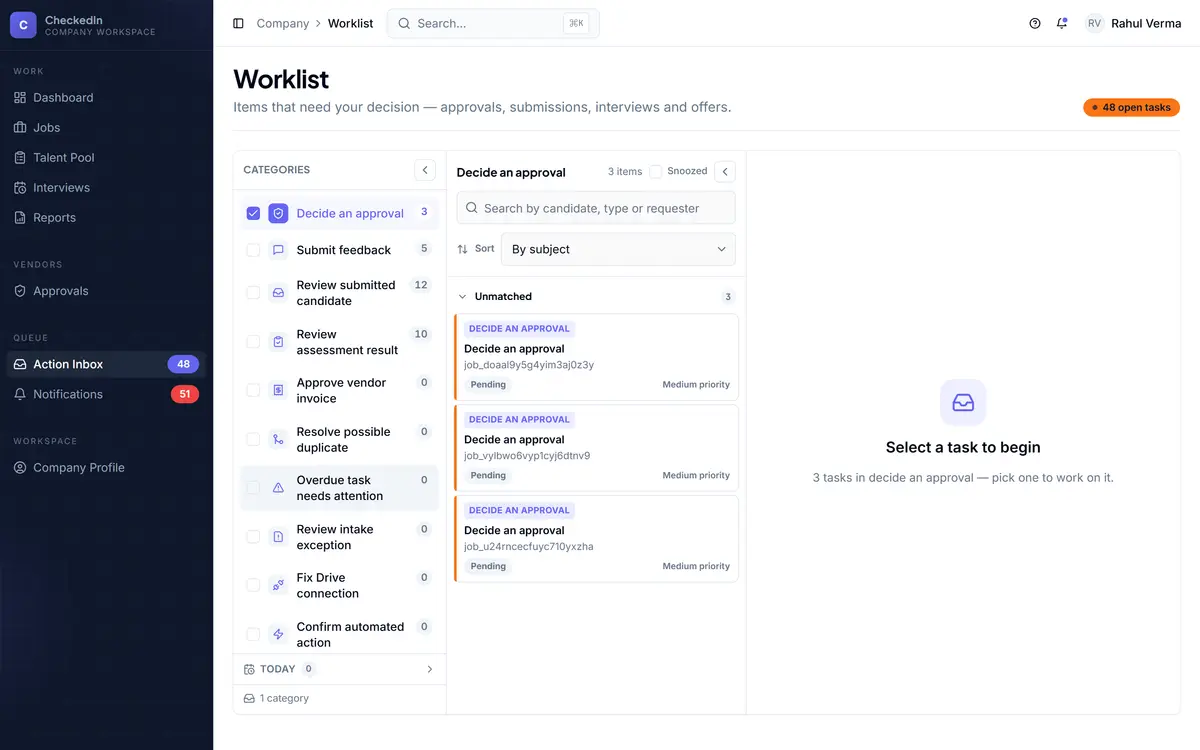
Real product screens. Figures shown in them are seed data from a demo workspace, not customer results.
Four properties. Drop any one and the queue dies.
Routed to a single person, not broadcast to a team where everyone assumes somebody else has it.
It opens the exact screen with the action loaded, not the module's home page.
Do the thing and it closes itself. There is no mark-as-done step to forget.
Not every time a background scan runs. This is the whole reason people keep reading it.
That last one matters more than it sounds. A queue that re-raises the same item every fifteen minutes trains everyone to stop reading it, and then it is worse than nothing.
All 37 of them. You will never see every one.
Which appear depends on your configuration and your permissions. A recruiter and a finance approver share almost none of this list.
- Review new candidate(s)
- Review ranked shortlist
- Resolve possible duplicate
- Confirm classification
- Review low-confidence résumé
- Review unparseable résumé
- Review unreadable JD
- Review AI-disabled résumé
- Resolve intake routing conflict
- Review resurfaced pool candidate
- Fix Drive connection
- Review retention sweep
- Chase pending assessment
- Review assessment result
- Review screening knockout
- Confirm interview time
- Submit feedback
- Schedule next round
- Run the next round
- Ready to offer
- Chase offer
- Confirm candidate joined
- Confirm role close
- Review submitted candidate
- Approve / decline agency
- Decide approval
- Submission sent back
- Submission rejected — in-house
- Invoice ready to raise
- Approve vendor invoice
- Review invoice mismatch
- Invoice disputed
- Resolve invoice dispute
- Confirm automated action
- Automation dispatch
- Escalate overdue task
- Act on recommendation
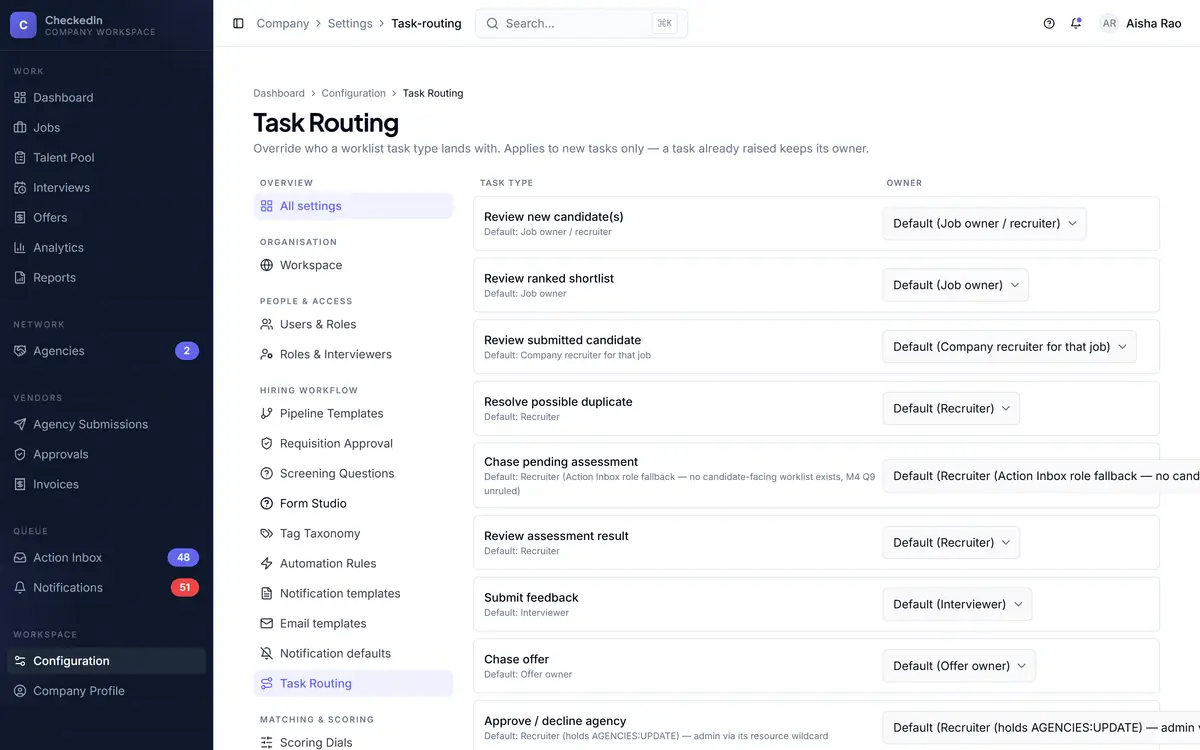
You decide who gets which kind.
Per person or per role, per task kind. The default is sensible; the point is that when a task lands on the wrong desk, that is a setting rather than a support ticket.
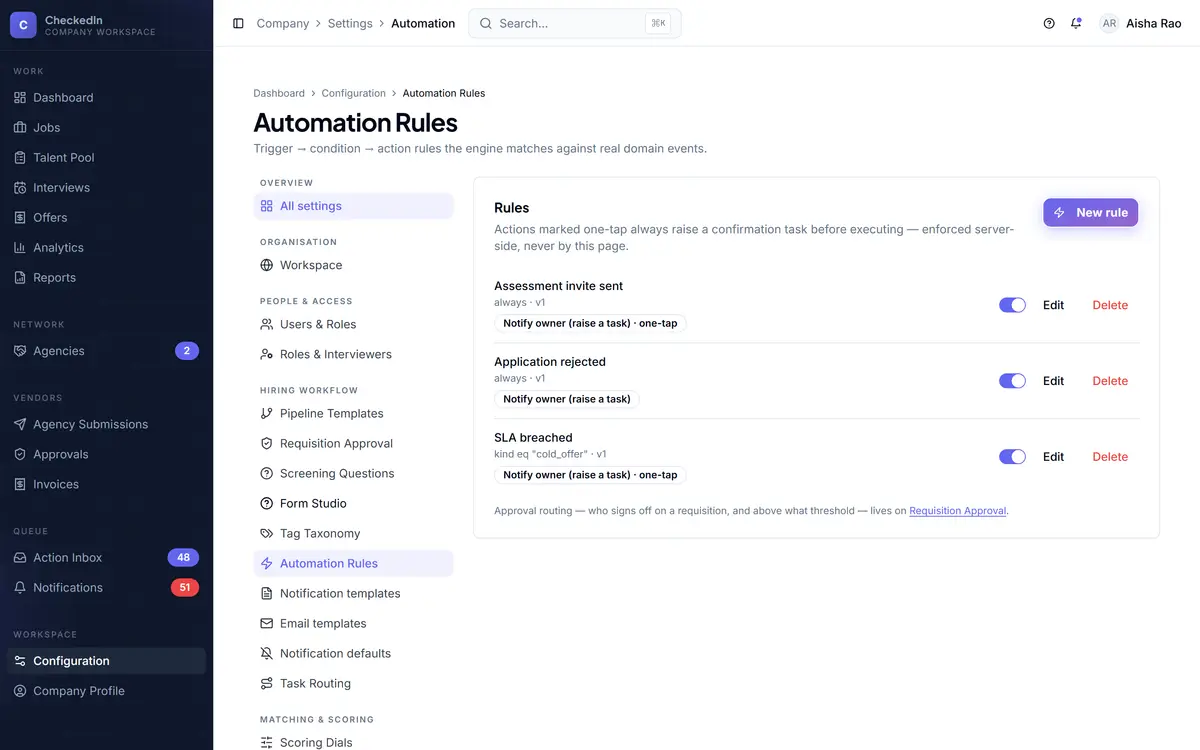
“The system just did it” is never an explanation for something that mattered.
Anything consequential an automation wants to do becomes a Confirm task rather than a silent action, and the confirmation is recorded. That rule is enforced in the core, not by a setting somebody can quietly turn off.