
Four doors in. No new habits for anyone.

Whichever route a CV takes, the same funnel runs. About two minutes later you have a parsed, duplicate-checked, tagged and ranked candidate.
~2 min to rankedemail · phone · national IDper-row bulk reportsame file twice does nothing
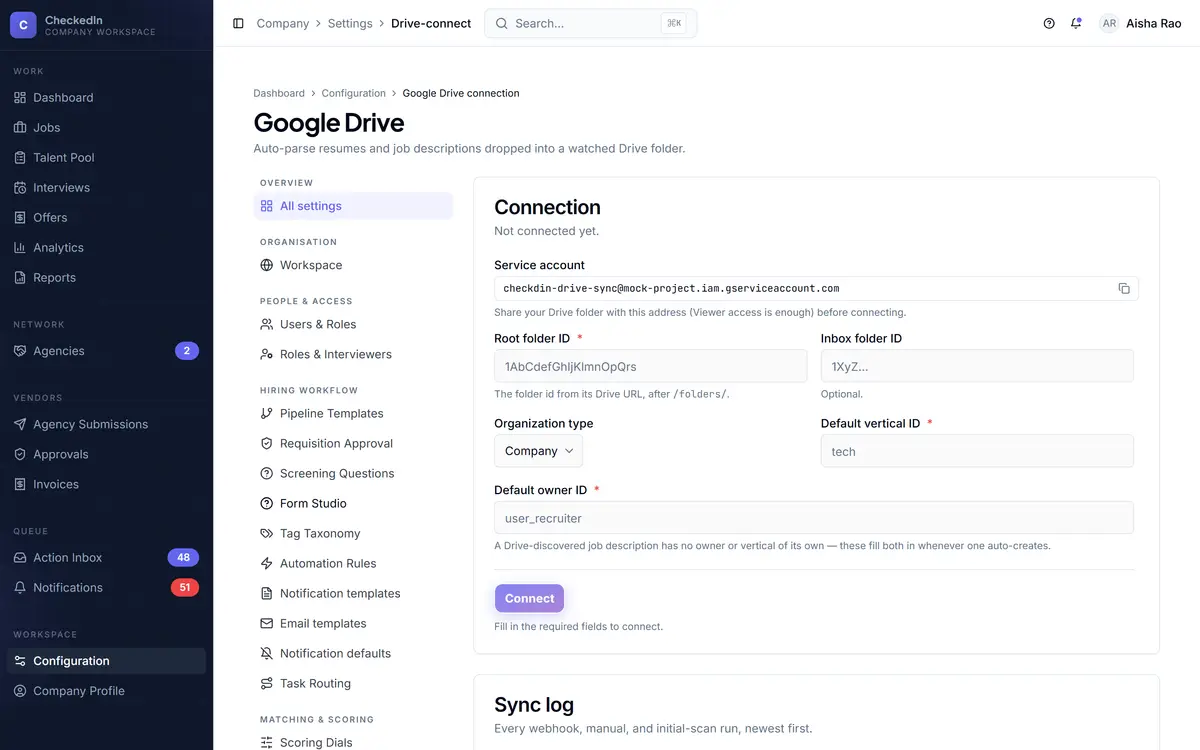
configuration · Google Drive 4 DOORS
Connecting a watched Google Drive folder as a candidate intake channel

Real product screens. Figures shown in them are seed data from a demo workspace, not customer results.

The four channels

None of them can behave differently from the others.

That is the point of one funnel. A candidate arriving by Drive is deduplicated, tagged and scored by exactly the same path as one who applied on your careers page.

01 Google Drive Drop a CV in a watched folder

A connection can watch several folders, each mapped to a vertical. A lapsed watch raises a Fix Drive task.

02 Apply-to email Forward the mail, attachment or not

Every published role gets its own address. The source is stamped automatically. A CV in the body still parses.

03 Bulk spreadsheet Export from a job board, drop the sheet

Per-row report: created, duplicate, errored. You know what happened to all 300 rows, not just the total.

04 Careers page A candidate applies directly

No account to create. Screening questions come from your own configuration.

One funnel parse · duplicate-check · tag · score · route
The talent pool

One human is one record. Even when two doors open at once.

The duplicate check runs before the record is created, on email, phone and national ID. Ingest the same person from a forwarded mail and a Drive drop at the same instant, from two different addresses, and you get one candidate.
Genuine ambiguity becomes a questionIf an incoming profile matches two existing people, somebody gets a merge-review task. It never silently merges two humans.
Re-tagging does not need a re-uploadTags carry a confidence level. Low confidence raises a one-tap confirm rather than a silent guess.
The pool has its own questionNot "who applied" but "is there someone here I am failing to use?" Past candidates resurface against new roles.
candidate · merge review YOU DECIDE
Merge review, showing two candidate records side by side field by field
Fig 1 Two records side by side, field by field, with you choosing what survives.
The careers page

Nothing for a candidate to install, and no password to forget.

A public listing per organisation, a role page, and an apply form whose fields come from your own screening configuration. Every later link, to sit a test or answer an offer, goes to the same address.
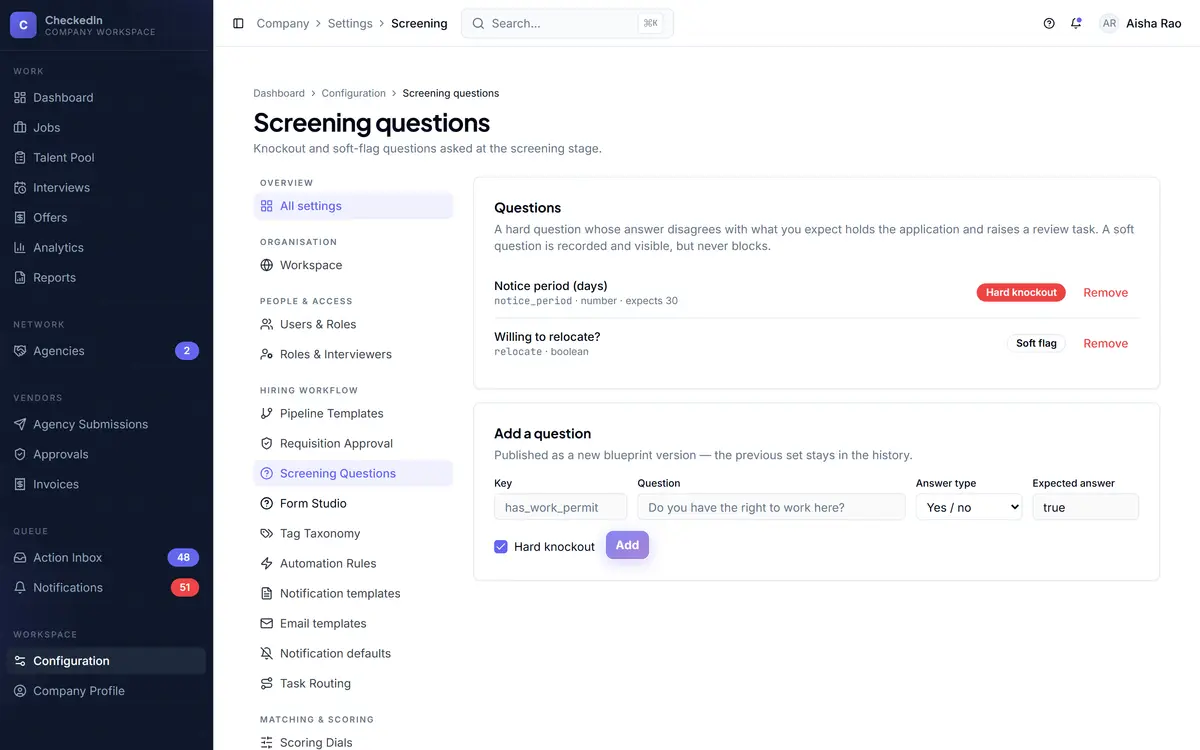
Screening questions can knock outAnd a knockout raises a review task, so a badly worded question does not quietly reject good people unnoticed.
Links are single-purpose and expiringTime-bounded, revocable in one click, and never a standing login.
configuration · screening questions DRIVES THE FORM
Screening question configuration, whose fields become the public apply form
Fig 2 The questions configured here are the fields a candidate fills in.
What this part does not do

Worth knowing before the demo, not after.

No job-board posting or integration export and drop the sheet in
No sourcing it ranks who you already have
No LinkedIn or GitHub enrichment deferred past this version
No careers-site theming a careers page, but not a brandable one
Three of four doors need the worker process if it stops, nothing new arrives
A scanned image-only PDF is flagged you get a review task, not an error
Book a demo